Work-from-Home Ergonomic Exercises
Introduction:
Even though we all know that sitting in an office chair all day isn’t always healthy, it may be very simple to spend the entire day with little activity if there aren’t any regular routes to work, office walks, or lunchtime store excursions.
Since many of us have a tendency to sit or lie in extremely unhealthy body postures, many people who work from home have found it difficult to maintain the same level of activity. Even if you’re blessed with the ability to work from home at a desk or office, or if you prefer to sit on the sofa in your living room or on your bed with your laptop on your knees, these activities can all be extremely harmful to your bones, muscles, and joints if you don’t take the proper ergonomic precautions and get regular exercise. This explains why so many individuals complain of joint, shoulder, neck, and lower and upper back pain, to name a few.
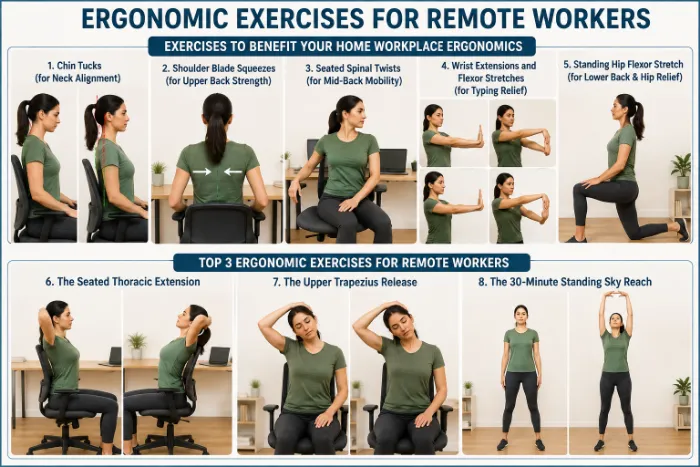
Exercises to Benefit Your Home Workplace Ergonomics:
Chin Tucks (for Neck Alignment):
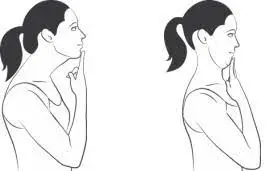
- Why it’s beneficial: Prevents the forward head position caused by screens.
- How to do it: Sit up straight. For three to five seconds, gently bring your chin straight back. Keep your shoulders relaxed and your eyes level. Try to do 10 repetitions two or three times a day, or as often as you find comfortable.
Shoulder Blade Squeezes (for Upper Back Strength):
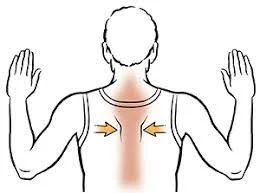
- Why it is beneficial: It improves posture and lessens tension on the upper back.
- How to do it: Take a seat or stand. For five seconds, pull your shoulder blades down and together. Focus on the center of your back instead of shrugging. If it’s comfortable for you, do 10–15 repetitions twice a day.
Seated Spinal Twists (for Mid-Back Mobility):
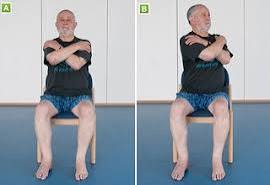
- Why it’s beneficial: It improves flexibility and reduces stiffness brought on by extended sitting.
- How to proceed: Take a seat upright. With one arm resting on the backrest, slowly twist to one side. For ten to fifteen seconds, hold. Don’t push the movement; instead, keep your hips pointing forward. Repeat 3–5 times on each side.
Wrist Extensions and Flexor Stretches (for Typing Relief):
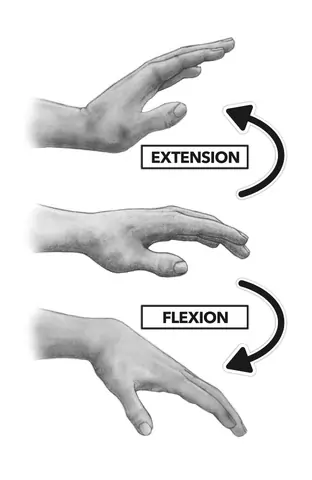
- Why it’s beneficial: Lessens wrist and forearm strain while using a keyboard.
- To accomplish this, reach out one arm, palm down. Repeat with the palm up after gently pulling fingers back with the other hand. Maintain a straight arm without locking it. Spend 15 to 30 seconds on either side of each stretch. Repeat two or three times.
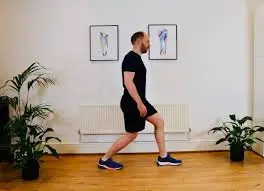
Standing Hip Flexor Stretch (for Lower Back & Hip Relief):
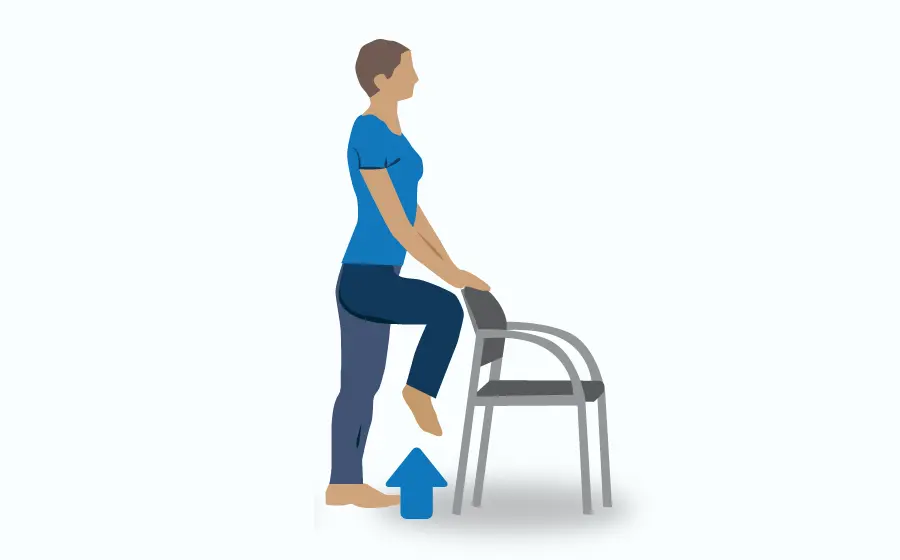
- Why it’s beneficial: Reduces tension caused by extended sitting.
- How to proceed: Press your hips forward softly while in a lunge stance until you feel a stretch in front of your hips. Avoid overextending and maintain an erect torso. Hold each side for 20–30 seconds.
You can shield your body from the negative consequences of a sedentary workweek with these short and simple activities. Make an effort to include them in your everyday schedule.
Here are some more ergonomic suggestions for your home office:
- Regularly take brief rests (every 30 to 60 minutes).
- Set the screen’s height to eye level.
- For back support, use a rolled towel or lumbar pillow.
- Walk around a lot and stay hydrated.
A standing desk, or a desk that switches between sitting and standing, is another choice for a lot of individuals. Your body will feel better, and you will be able to perform at your best if you take charge of your workspace and routine to enhance ergonomics. Pain may be a major distraction, and even adjustments can have a significant impact.
Invest some time in your ergonomics if you are experiencing neck, back, or any other type of pain related to your workplace. Seeking expert assistance is highly recommended if you are experiencing chronic discomfort, numbness, or restricted range of motion.
Top 3 Ergonomic Exercises for Remote Workers:
If you work from home, don’t forget to set aside specific time for frequent stretching. In order to give your musculoskeletal system ten complete minutes to stretch, we strongly advise taking a break at least once during each workday. To be perfectly honest, you still need to set aside time in your day to complete these therapeutic stretches, even if you are returning to a regular corporate workplace.
To prevent postural fatigue, include these three focused exercises in your everyday routine:
Seated Thoracic Extension:
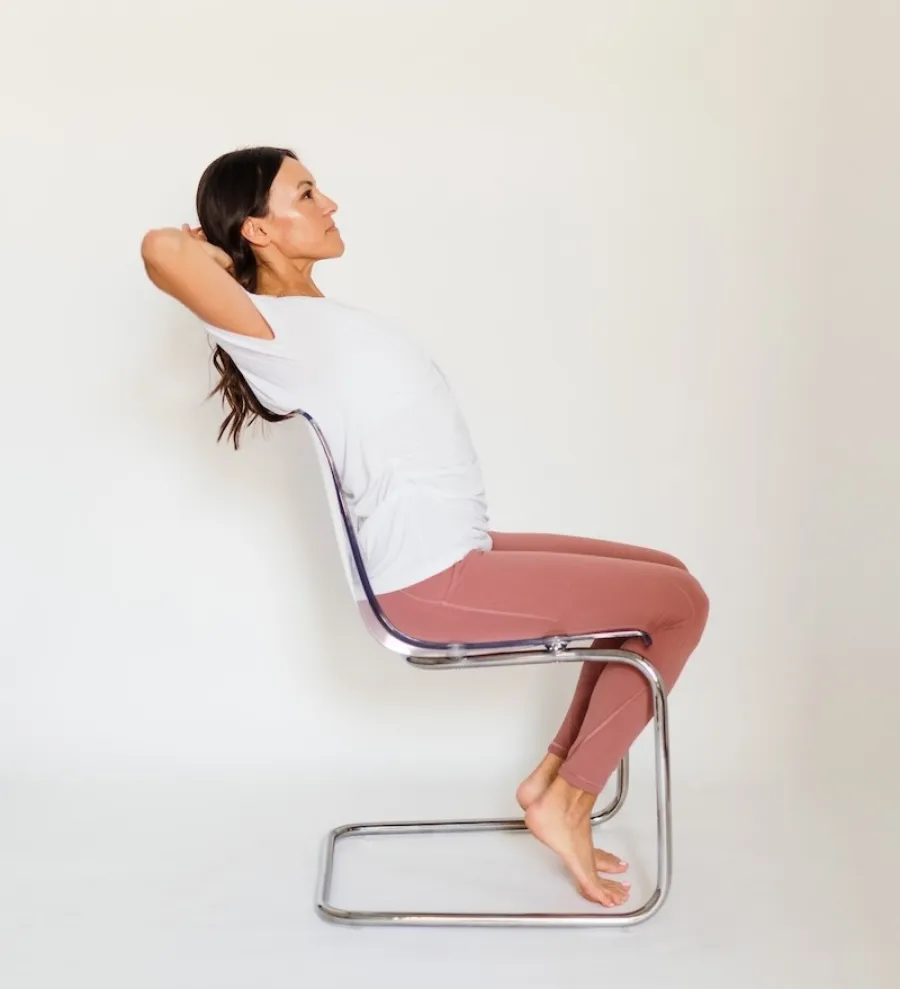
- Why it is useful expands the chest and corrects the forward tilt caused by typing.
- How to do it: Maintain a straight posture and balance your weight on your sitting bones. Put your fingers firmly together behind your head. Maintaining a stable lower back, gently arc your upper back over the chair’s top edge. Stretch gently for 15 seconds. Repeat five times, repeat.
Upper Trapezius Release:
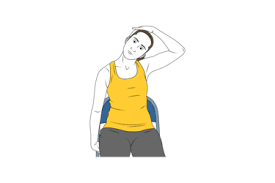
- Why it helps: Reduces shoulder and neck strain from staring at monitors.
- How to do it: Lower your right ear toward your right shoulder while sitting up straight. Reach your left arm toward the floor and gently place your right hand above your head to guide it down for a deeper stretch. Perform three repetitions on each side after holding for 20 seconds.
30-Minute Standing Sky Reach:
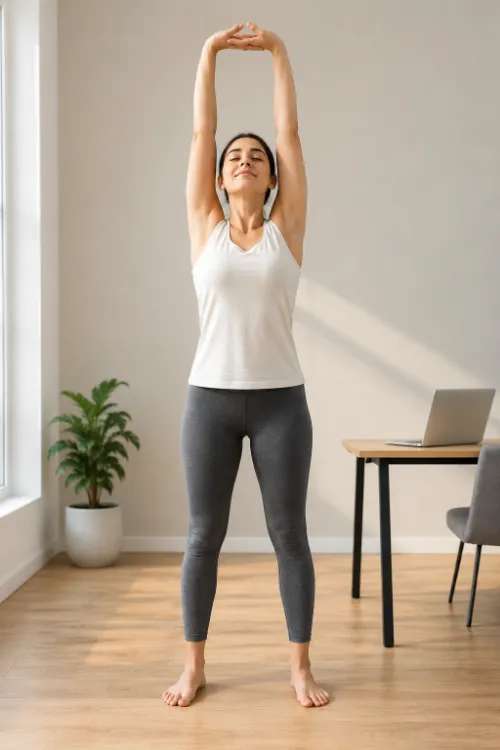
- Why it’s beneficial: After extended sitting, it relaxes the spine, extends the abdominal wall, and increases lung capacity.
- How to proceed: Get entirely upright. Stretch your arms high above your head, turn your palms up, interlace your fingers, and place your feet hip-width apart. Take three calm, deep belly breaths and reach as high as you can comfortably. Every time you get up or end a phone call, lower your arms and repeat this movement.
Biomechanics of a Perfect Workstation:
Maintaining a balanced spinal position is your major objective when setting up your remote workspace. This lessens the mechanical strain on your surrounding muscles, ligaments, and intervertebral disks. Your setup should ideally have an adjustable design that allows you to sit and stand at different times of the day.
Compare your present desk arrangement to these three essential physiological guidelines to maximize the ergonomics of your workstation:
Visual Alignment and Screen Height:
Your computer screen should never be positioned too close to your face; instead, it should be about level with your eyes. Your cervical spine is forced into chronic flexion when a screen is positioned too low, which significantly increases the relative weight of your head on the sensitive neck muscles. Maintaining a neutral cervical gaze is ensured by keeping the screen at eye level.
Upper Extremity and Shoulder Mechanics:
Your elbows should be comfortably at your side, and your hands and elbows should be at roughly the same height. You may need to purposefully adjust the height of your chair in relation to your desk in order to achieve this relaxed arm position. You significantly lower your overall risk of getting chronic neck and shoulder pain when your elbows are supported, and your shoulders are not flexed.
Pelvic Stabilization and Lower Limb Support:
Your feet must be firmly planted on a sturdy surface. You need to bring in a little box or a special footrest to allow your lower legs to be more comfortable if the height of your chair keeps you from reaching the floor.
Legs that are properly supported give the pelvis a solid base, which immediately reduces the risk of lower back pain. Additionally, be mindful of the way your pelvis moves in relation to the seat. Instead of slouching back against the soft flesh of your buttocks, try sitting up straight and intentionally feeling the actual weight resting on your hard sitting bones.
The Remote Work Ergonomic Checklist: Do’s vs. Don’ts
Do:
- Create a fixed workspace that won’t be used by your kids to store toys.
- Walk around the room, raise your arms above your head, and stand up at least once every thirty minutes. Plan regular standing exercises, such as making all of your phone calls while standing.
- Choose an appropriate work chair, such as a tall-back dining chair or an ergonomic office chair.
- Take a break from your work, like taking your child or dog for a walk. Regular outdoor exercise will reduce their fussing and barking.
- Use a desktop computer, or if you’re using a laptop, raise the screen to eye level and connect a separate keyboard and mouse.
- Develop a personalized at-home workout regimen that includes specific back and neck stretches.
Don’t:
- Compress your chest and cervical spine while you slouch over your low laptop screen.
- As you attempt to complete your professional task, take a seat on your bed, couch, or hard floor.
- To keep up with your family’s shifting schedules, move your setup about the house frequently.
- To avoid straining your joints during your lunch break, move immediately from your workplace to the couch or outside.
- Spend hours at your computer without moving or changing your position.
- Your postural muscles will eventually weaken and tighten if you forget to stretch and exercise.
FAQs:
How to improve ergonomics when working from home?
Keep your feet flat on the ground, bend your elbows at a 90-degree angle, and place your monitor at eye level to create an ergonomic office at home. When typing, keep your wrists straight, take brief movement breaks every 30 to 60 minutes, and use a supportive chair with lower-back support.
What is the 3-3-3 rule for working?
The 3-3-3 rule is a straightforward everyday productivity strategy. Long to-do lists can help you feel less overwhelmed. Split your workday into three emphasis areas: work on your most critical project for three hours, finish three smaller jobs you’ve put off, and complete three maintenance duties.
What are the 5 principles of ergonomics?
The five essential principles of ergonomics center on modifying work and equipment to fit the human body, although formal frameworks specify a range of five to ten core criteria. They reduce excessive force, minimize repetition and movement, work in the strength zone, maintain a neutral posture, and provide sufficient clearance and surroundings.
How can I set up my work-from-home office ergonomically?
Adjust your chair so that your knees form a 90-degree angle and your feet lie flat to create an ergonomic work-from-home configuration. Keep your keyboard and mouse close so that your elbows bend at a comfortable 90-degree angle. Place the top of your display at eye level, approximately an arm’s length away.
What are 10 exercises I can do at home?
These ten basic bodyweight exercises push-ups, squats, lunges, planks, glute bridges, mountain climbers, jumping jacks, triceps dips, high knees, and bird-dogs allow you to work out your entire body at home without any equipment.
What is the easiest workout at home?
A basic bodyweight program that includes basic exercises like glute bridges, chair squats, knee push-ups, and bird-dogs is the simplest and most efficient at-home workout. These workouts just take ten to fifteen minutes, use your own body weight, and don’t require any equipment.
What exercise is better than walking?
There isn’t a single activity that is always superior to walking, but depending on your particular health objectives, there are other activities that work better. Walking is an excellent low-impact habit for heart health, but other exercises are better for increasing strength, reducing calories, or enhancing balance.
References:
- Arrieta, A. B., Díaz-Rodríguez, N., Del Ser, J., Bennetot, A., Tabik, S., Barbado, A., García, S., Gil-López, S., Molina, D., Benjamins, R., Chatila, R., & Herrera, F. (2019). Explainable Artificial Intelligence (XAI): Concepts, taxonomies, opportunities, and challenges toward responsible AI. Information Fusion, 58, 82–115. https://doi.org/10.1016/j.inffus.2019.12.012
- Brown, T., Moore, T. H., Hooper, L., Gao, Y., Zayegh, A., Ijaz, S., Elwenspoek, M., Foxen, S. C., Magee, L., O’Malley, C., Waters, E., & Summerbell, C. D. (2019). Interventions for preventing obesity in children. Cochrane Database of Systematic Reviews, 2025(8), CD001871.
- Gershon, R. R., Karkashian, C. D., Grosch, J. W., Murphy, L. R., Escamilla-Cejudo, A., Flanagan, P. A., Bernacki, E., Kasting, C., & Martin, L. (2000). Hospital safety climate and its relationship with safe work practices and workplace exposure incidents. American Journal of Infection Control, 28(3), 211–221.